Shipping and Return Policy
Verified
Home
About Us
Shop
Close Shop
Open Shop
Top Brands
Air Force 1
Air Jordans
Nike Dunks
Balenciaga
New Balance
Nike Air Max
Gucci (Coming Soon)
Blog
Contact Us
$
0.00
Shopping Cart
How to Add your Free Shoe ?
Home
/
How to Add your Free Shoe ?
For every pair you buy for $400 or more, you get any other pair at equal value or less for FREE!!!
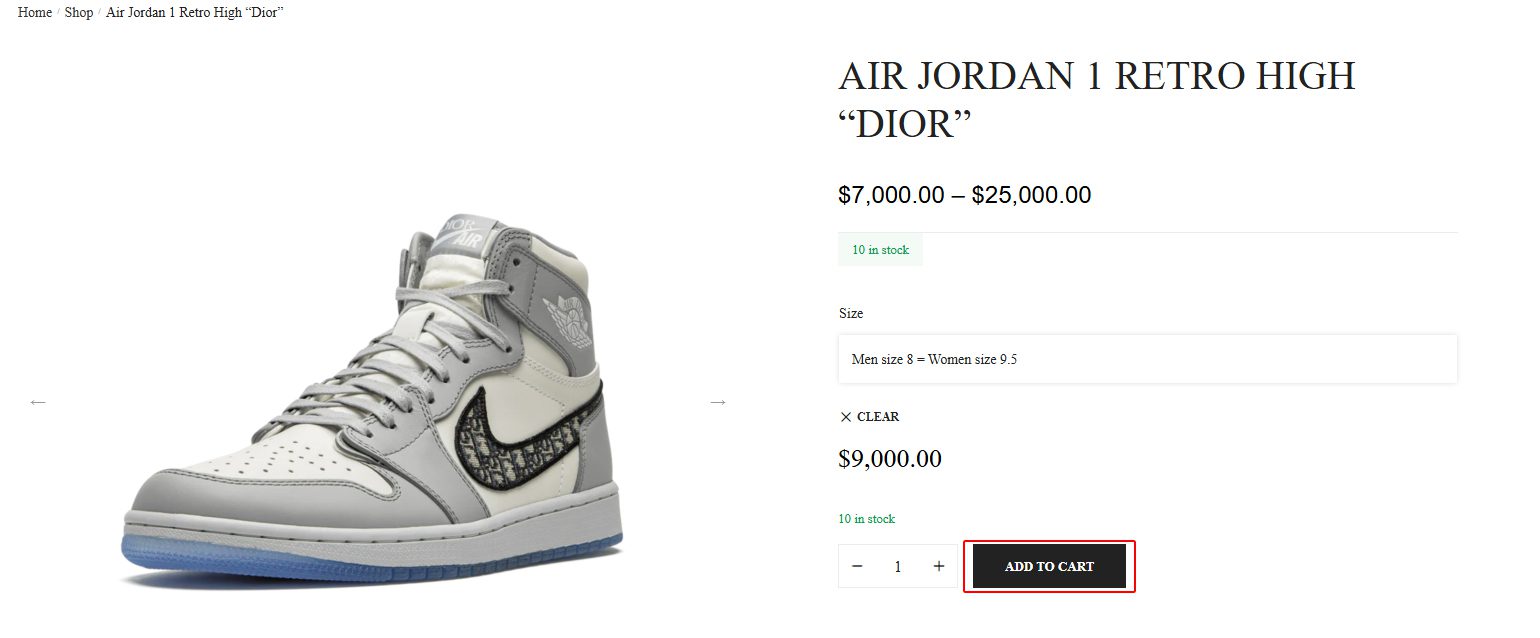
STEP 1: Select the first product you want to purchase, Then click "Add to cart" button
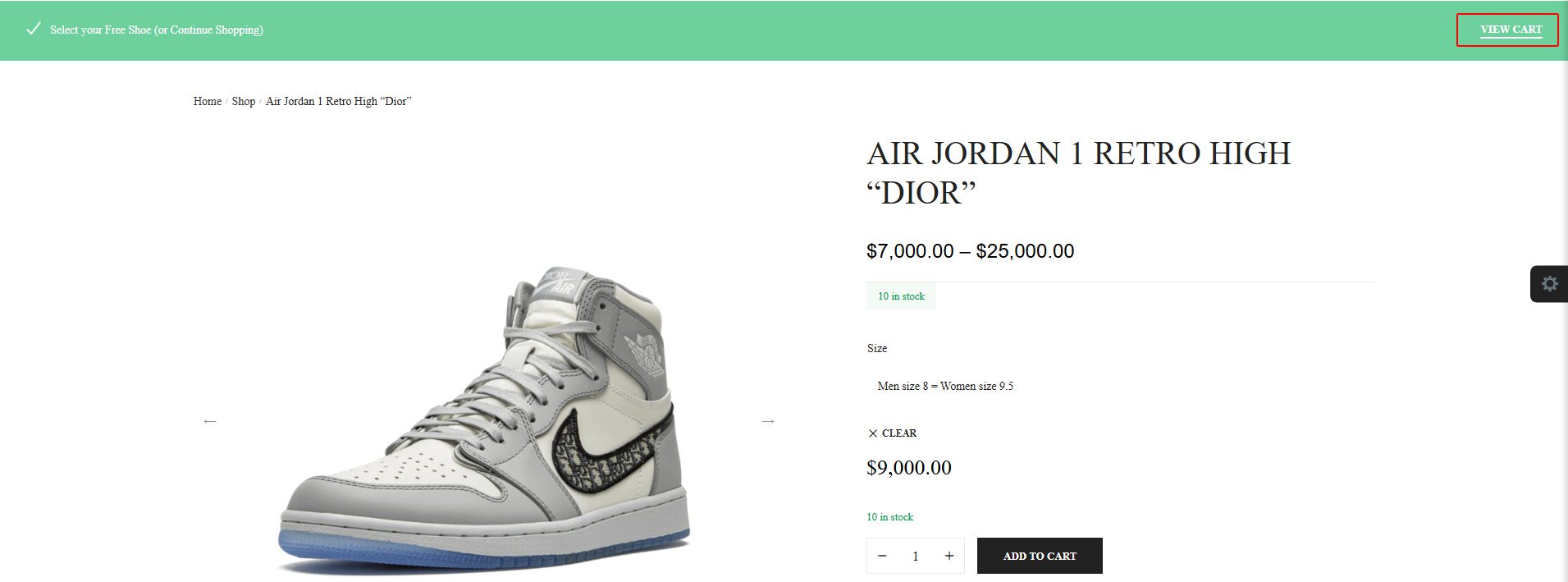
STEP 2: Click on "view cart" button visible on the green bar on top right to continue on cart page
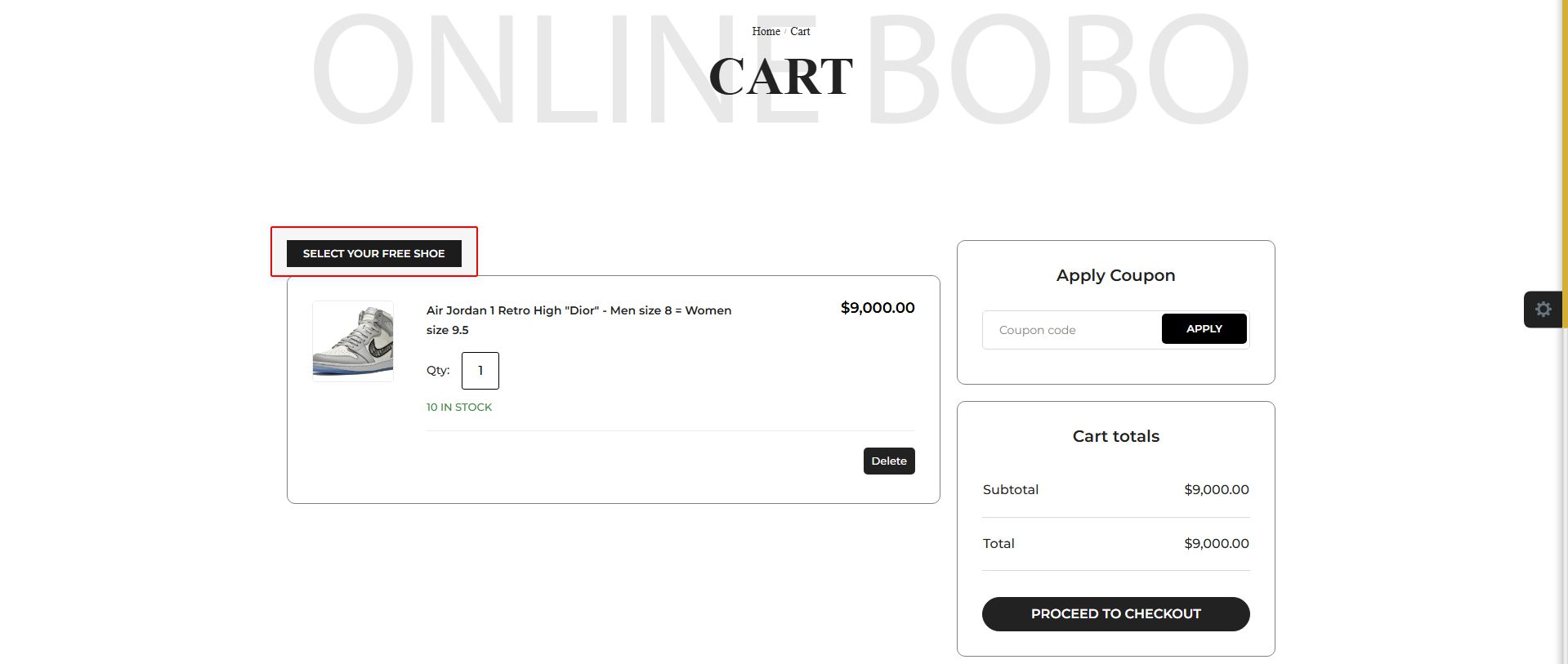
STEP 3: Click on "Select your free shoe" button to choose your free shoe
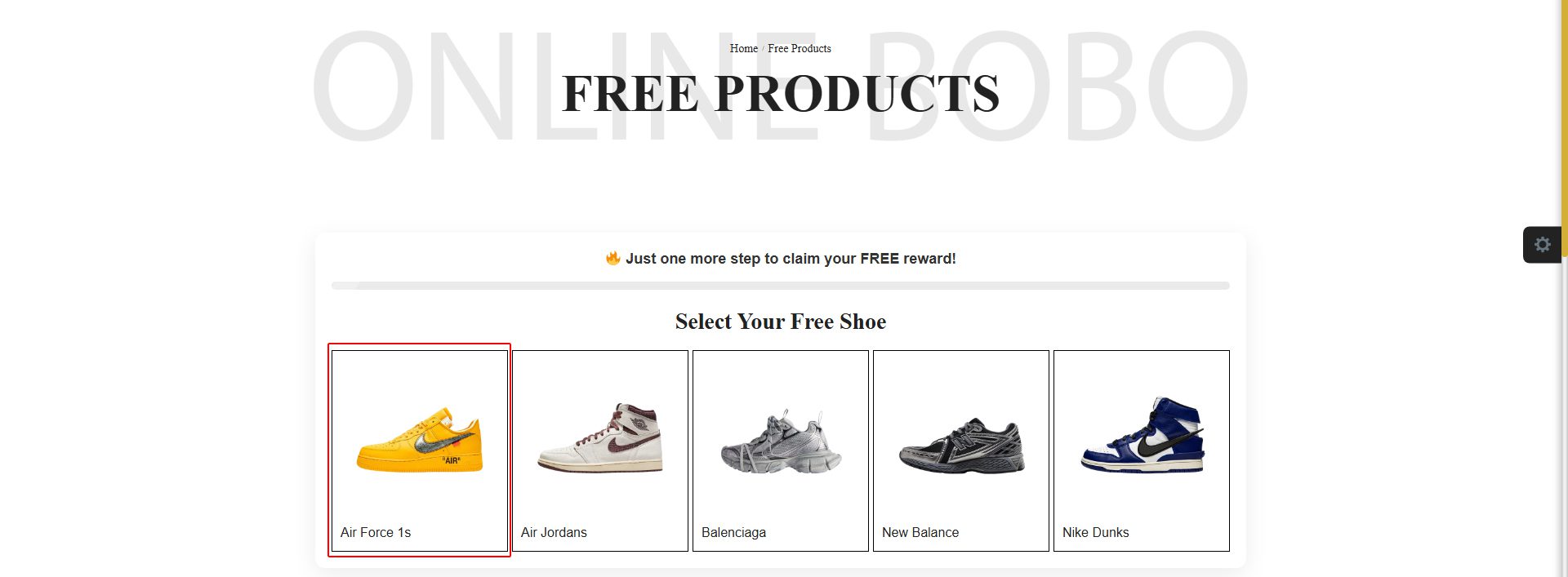
STEP 4: Select the brand you want to choose
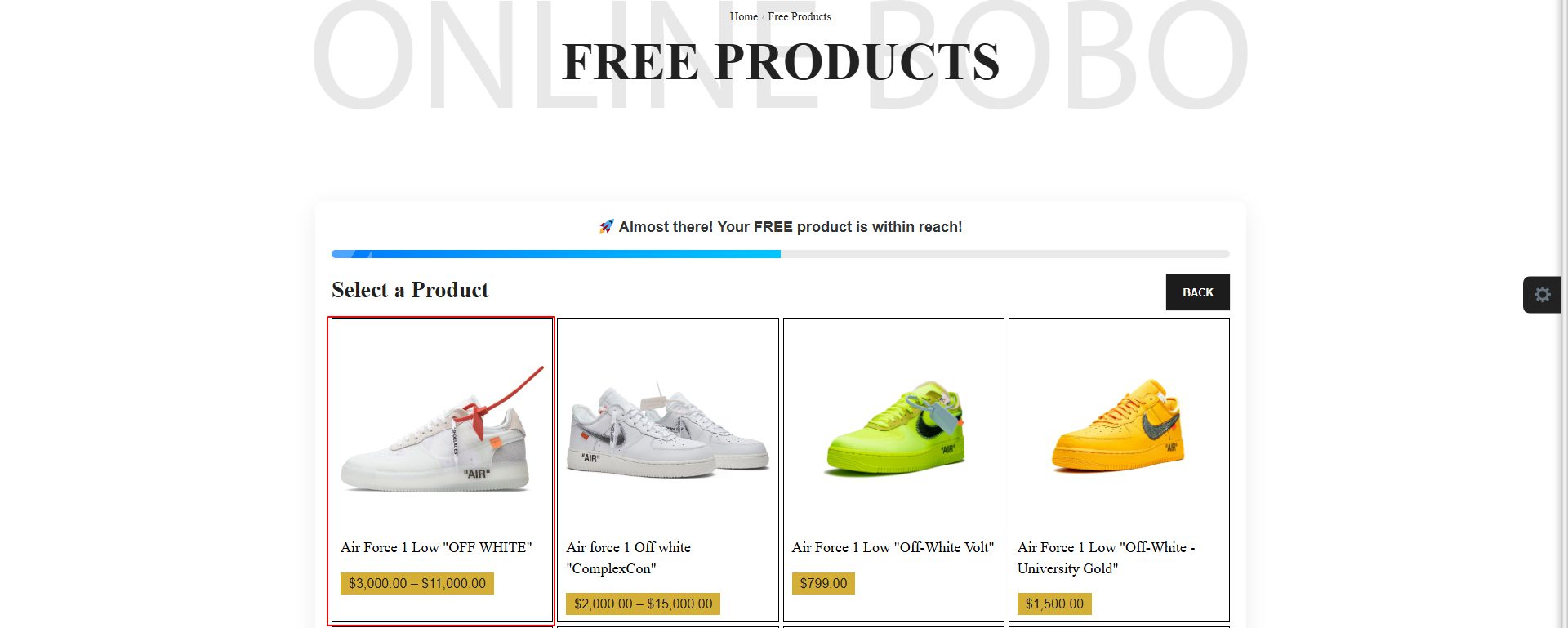
STEP 5: Select the free shoe you want
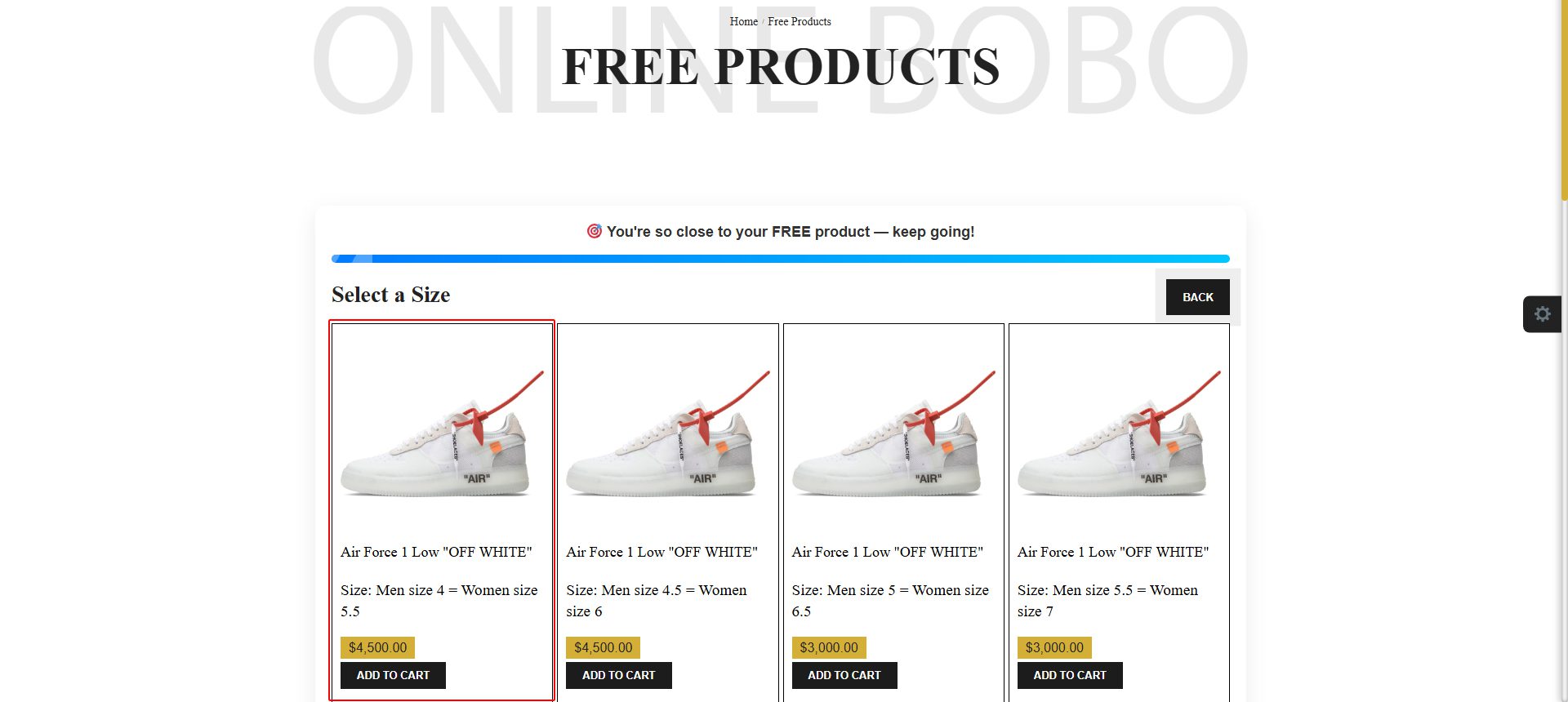
STEP 6: Select the shoe size and click "add to cart' button
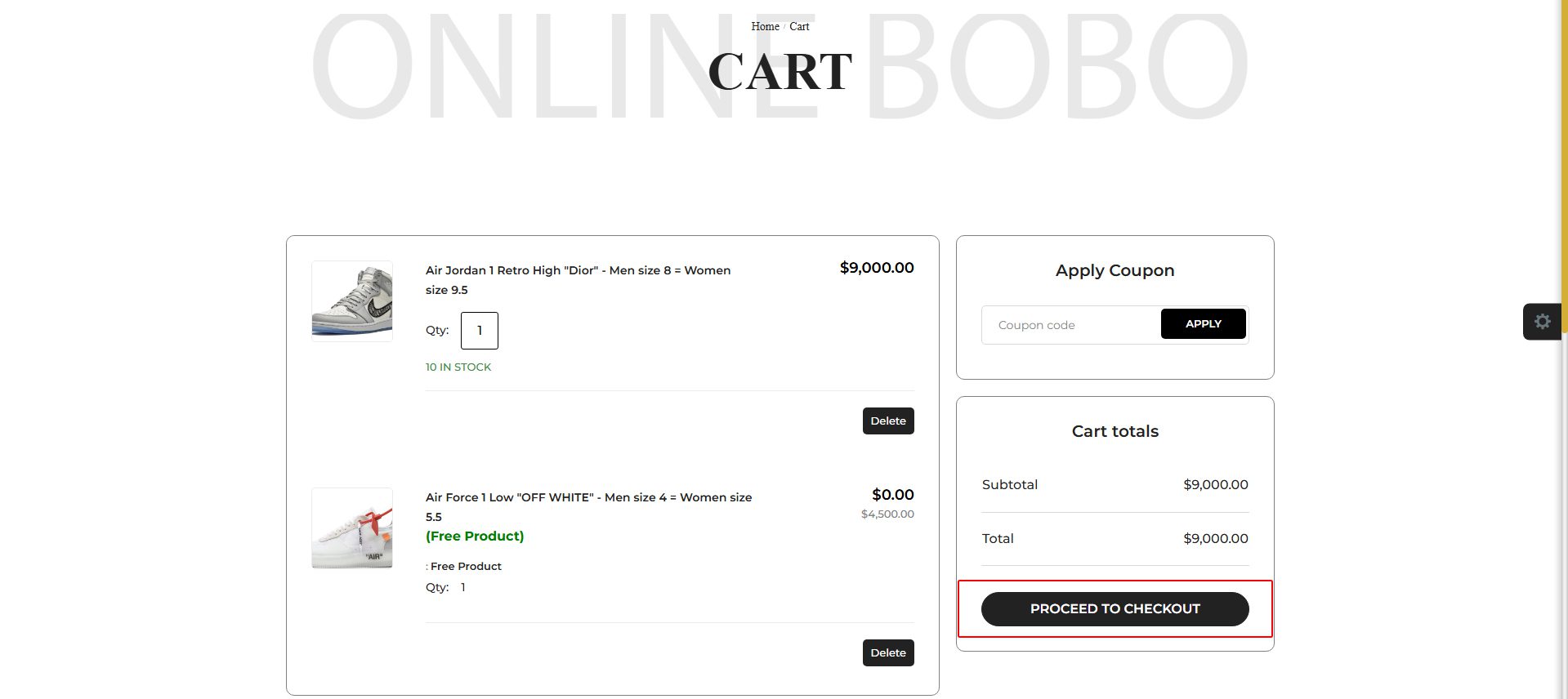
STEP 7: Check your cart items and click on "proceed to checkout" button
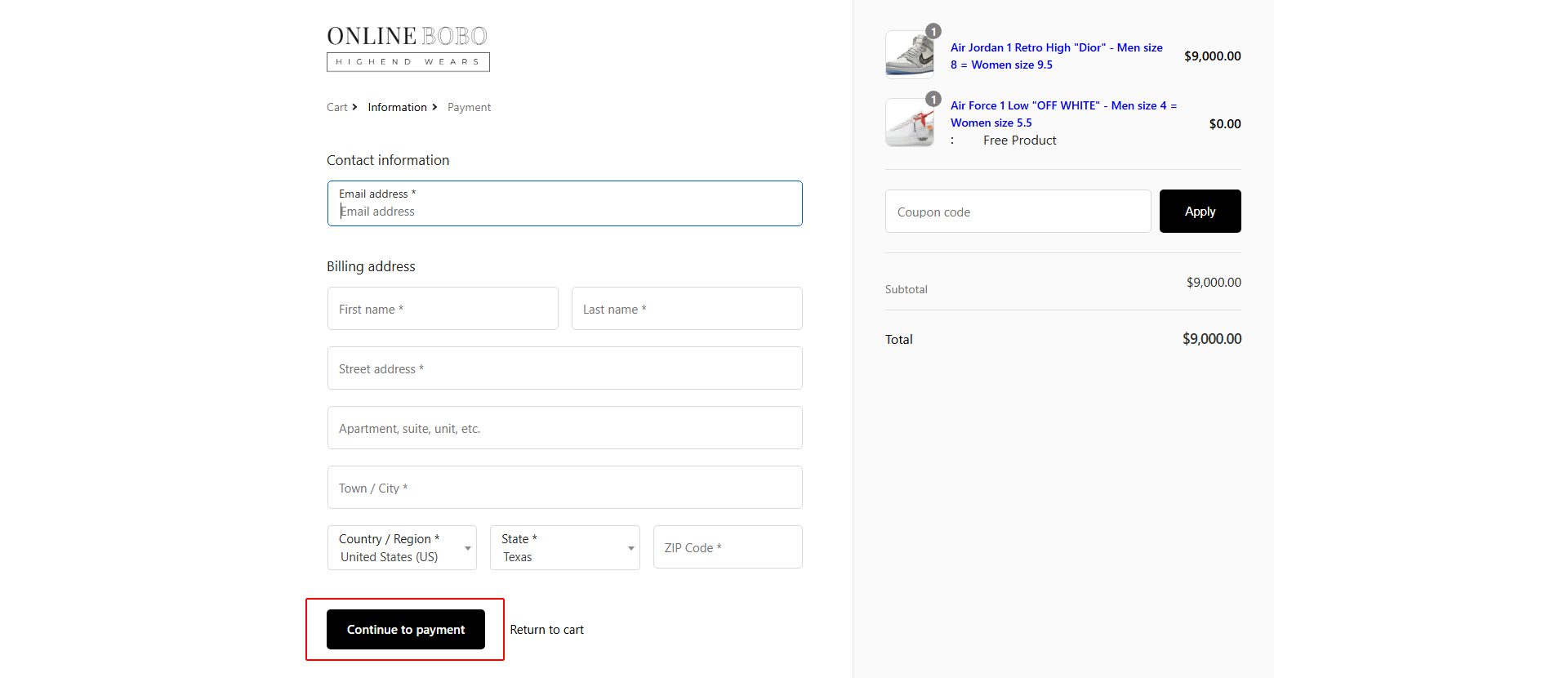
STEP 8: Fill out your checkout information and click on "continue to payment" button & enter your payment details.
You Are Good to go Enjoy your new shoes
Login
Remember me
Log in
Lost your password?
✕
Nike Dunks
New Balance
Balenciaga
Air Jordans
Air Force 1
Nike Air Max